On this page
Identify the installer and full message
Record the app, publisher, package version and whether you launched an MSI or EXE. An EXE can call Windows Installer internally, so use the publisher’s log instructions to confirm where its error came from.
The last code can summarize a failure. The message or log entry before it often gives the action that needs attention.
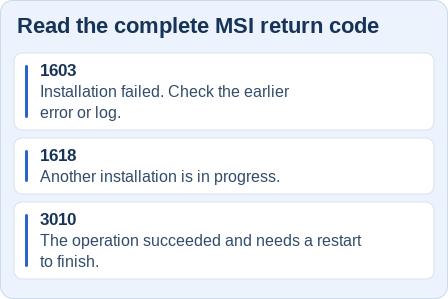
1603 means the installation failed
Use the 1603 guide to check whether the app is already installed, inspect the target location and collect an installation log when needed. Follow the earlier error or failed action when choosing a correction.
1618 means another installation is in progress
Let the current installation, uninstall or managed deployment finish, then retry. If it repeats with no visible installer, record the time and ask IT or the publisher to check the installation state before ending processes.
A restart request can accompany success
Microsoft defines 3010 as a successful operation that needs a restart to complete. Save your work and follow the installer or IT instructions, then verify that the app opens. Keep the full return code so a restart request is interpreted correctly.