WINDOWS ERROR GUIDANCE

Windows Update error 0x80070020

Error 0x80070020 means something was using a file or resource that Windows Update needed. Restart and retry the same update first. If the error returns, save the failure time.

On this page
  1. Record the failed update and time
  2. Retry the same update after a restart
  3. Investigate a repeat conflict

Record the failed update and time

In Update history, record the update title, KB number if shown, and failure time. Microsoft calls this a sharing violation. The code doesn’t identify which process or driver held the resource.

Retry the same update after a restart

Save your work and restart. Retry the update and check Update history. If the same code returns, run the Windows Update troubleshooter and keep the latest failure time.

Investigate a repeat conflict

Use the failure time to review relevant CBS.log entries with Microsoft support or IT. If the evidence points to a background app or service, follow the clean boot guide and restore normal startup afterward. For managed devices or security tools, let IT or the publisher handle the change.
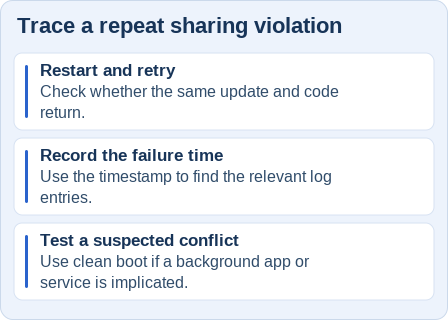
Trace a repeat sharing violation. Restart and retry. Check whether the same update and code return. Record the failure time. Use the timestamp to find the relevant log entries. Test a suspected conflict. Use clean boot if a background app or service is implicated.
Use the latest failure time to investigate the conflict.Enlarge

References

MYTURBOPC

About this page preview

This local preview draws on Microsoft or manufacturer documentation. The illustrated examples show where to look or how to choose a step.

The procedure and individual driver packages have not been tested for this preview.