On this page
Record the code and update
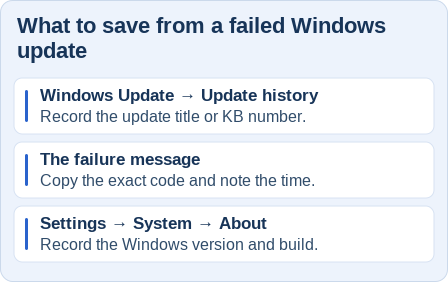
On Windows 11, open Settings → Windows Update → Update history. Record the name or KB number of the failed update, the exact message and when it happened. Record your Windows version and build. These details help distinguish an update failure from a Windows installation or upgrade rollback.
If Windows Update fails without a clear code
Save your work and restart if Windows is waiting for a restart. Check your internet connection and whether Windows reports low storage. If an update still fails on Windows 11, run the Windows Update troubleshooter in Get Help.
Return to Windows Update and check again. If the same update fails, record its new status and any code Windows shows. Choose the matching guide below instead of applying an unrelated repair.
Choose the guide for the exact error code
Match the complete code and the operation where it appeared. The 0x800f081f guide also covers the case where DISM or .NET Framework reports missing source files.
If work or school manages your updates
Record the full error, failed KB, time, and Windows build for IT. The update service and servicing policy may be set by your organization, so use its support route before changing update settings. If IT asks for logs, use the Microsoft log reference to identify the file it needs.