On this page
Record the file, path and failing app
Save the full message, including the app name, code and file path. Microsoft calls 0xc000012f STATUS_INVALID_IMAGE_NOT_MZ. The status describes an invalid executable image, but the dialog’s file path helps you choose what to investigate.
Check whether an unrelated app opens. If only one app fails, start with its publisher and installation package.
Repair the package that supplies the file
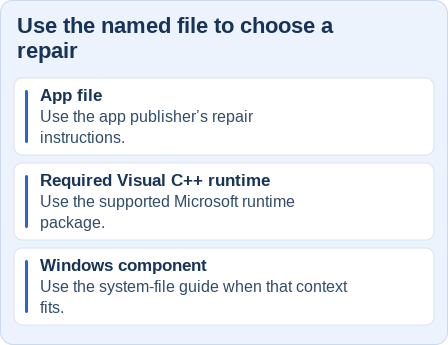
If the file belongs to the failing app, use the publisher’s Repair or reinstall instructions. For apps that expose the option in Windows 11, open Settings → Apps → Installed apps → the app’s menu → Advanced options → Repair. In Windows 10, check Settings → Apps → Apps & features. Availability depends on the app.
If the publisher identifies a required Visual C++ runtime, choose its supported Microsoft package. If several unrelated apps report errors involving Windows components, follow the system-file guide. Keep the complete file path when asking support to identify the owner.
Start the same app again
Record whether the same file and code return after the applicable repair. If the dialog changes, save the new details. Give the publisher the app version, full error and steps you already tried.