WINDOWS ERROR GUIDANCE

Fix application startup error 0xc0000142

Error 0xc0000142 means a library failed to initialize during app startup. Try another unrelated app first. If it opens normally, focus on the app that failed.

On this page
  1. Record the failed app and recent changes
  2. Choose a test based on what fails
  3. Retest the app and compare the result

Record the failed app and recent changes

Microsoft calls this code STATUS_DLL_INIT_FAILED. Save the full message, app name and version, and any module named. Note whether the app worked before an update or other change.

Choose a test based on what fails

If only one app fails, follow the publisher’s repair or reinstall instructions. Some apps offer Repair under Advanced options in Windows Settings.

If the timing or the publisher’s guidance points to a background conflict, try a clean boot. Test the same app during that session and restore normal startup afterward.
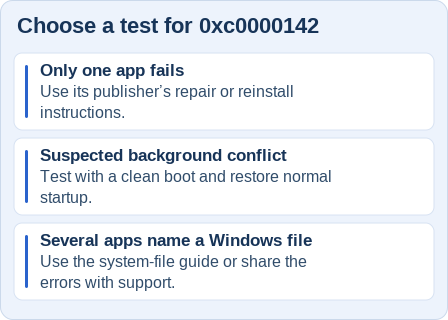
Choose a test for 0xc0000142. Only one app fails. Use its publisher’s repair or reinstall instructions. Suspected background conflict. Test with a clean boot and restore normal startup. Several apps name a Windows file. Use the system-file guide or share the errors with support.
Check one unrelated app before changing Windows settings.Enlarge

Retest the app and compare the result

If the same app still fails, give its publisher the full message and any module name. If several unrelated apps fail and repeatedly name a Windows component, use the system-file guide or share the evidence with support.

References

MYTURBOPC

About this page preview

This local preview draws on Microsoft or manufacturer documentation. The illustrated examples show where to look or how to choose a step.

The procedure and individual driver packages have not been tested for this preview.