On this page
Record the code pair and target Windows version
Write down the full result and extend codes, the Windows version you started with and the version you were installing. The result reports the failure, and an extend code can identify the Setup phase and operation.
Also note whether Setup returned you to the previous Windows installation. That helps distinguish a rollback from an error while downloading a regular update.
Choose the matching installation context
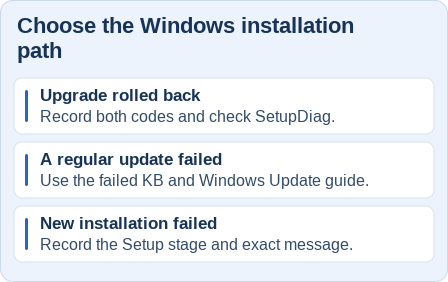
For an upgrade rollback with 0xc1900101, use the dedicated guide to investigate driver and phase evidence. For a regular KB failure in Update history, use the Windows Update code guide.
For a new install that fails before a Windows desktop is available, record the exact screen and message and use Microsoft’s installation guidance for that stage.
Keep diagnostics from the same failed attempt
Look for the SetupDiag result and keep the logs before cleanup or another attempt removes them. Match the failure time and phase when choosing which log to review.