On this page
Find the failed update and build
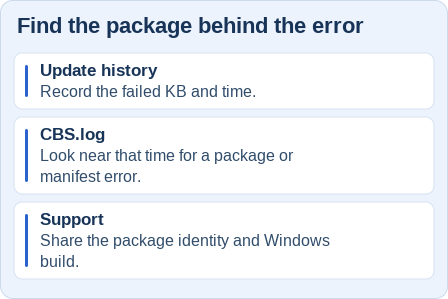
In Windows 11, open Settings → Windows Update → Update history. In Windows 10, open Settings → Update & Security → Windows Update → View update history. Record the update title, KB number if shown, and time of failure.
Microsoft calls this CBS_E_STORE_CORRUPTION. A missing package or manifest can cause it.
Repair the component store, then retry
On a personal PC, use the DISM and System File Checker guide. Restart after the applicable repair and check the same update in Update history. If DISM returns 0x800f081f, check the repair source before repeating it. On a managed PC, give IT the failed KB and Windows build.
If the same update still fails
Look in %WinDir%\Logs\CBS\CBS.log around the recorded failure time. A missing manifest or failed package resolution can identify which package Windows needed. Share the exact package identity, error, and Windows build with IT or Microsoft support before installing a prerequisite.