On this page
Find the symptom that matches
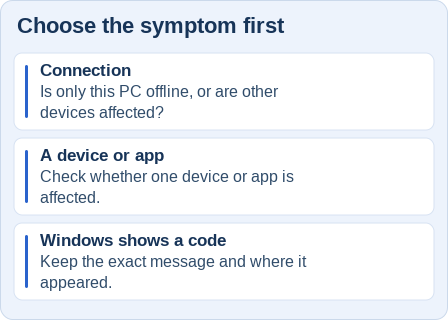
Before changing a setting, try the simplest comparison. Open another app if only one seems broken, or check another device on the same network if this PC is offline. Note what changed just before the problem started.
If you have a complete error code, save it with the message and the action that produced it. Use the code to find the right guide.
Internet and wireless
If Wi-Fi is missing, first separate an absent adapter from a network the PC can see but cannot join. If another device on the same network is offline too, check the router or service first.
Sound, printing and unknown devices
Choose the device that stopped working. A muted output and a stalled print queue need different checks from a device flagged in Device Manager.
Apps, startup and crashes
If only one app fails to open, start with that app and its exact message. If Windows shows a blue screen or keeps restarting, record the stop code if you can see it. If you’re trying to isolate a startup problem, use the Safe Mode guide for the entry point that’s still available.
When Windows gives you a code
Save the full message and note what you clicked. That lets you choose between an application error, an update failure, a device status code, and a system crash.